Our Verdict
Hyros is worth it if your ad spend is large enough that a few percent of misattributed revenue costs you real money. It shines for businesses with long or messy journeys: webinars, booked calls, email follow-ups and repeat purchases that ad pixels routinely miss.
The trade-offs are a demo-first buying process, a setup that takes real effort on complex funnels, and a price that climbs as your tracked revenue grows. If you run a small store on one channel, a lighter tool will do.
You're probably here because your numbers don't line up. Meta says one thing, Google says another, and your bank account says something else again. That gap is exactly the problem Hyros was built to close.
Below, we walk through what Hyros does, how its tracking works, what it costs, and the readers it suits best. We'll also be straight about where it's overkill.
What Hyros Is and Who It's Built For
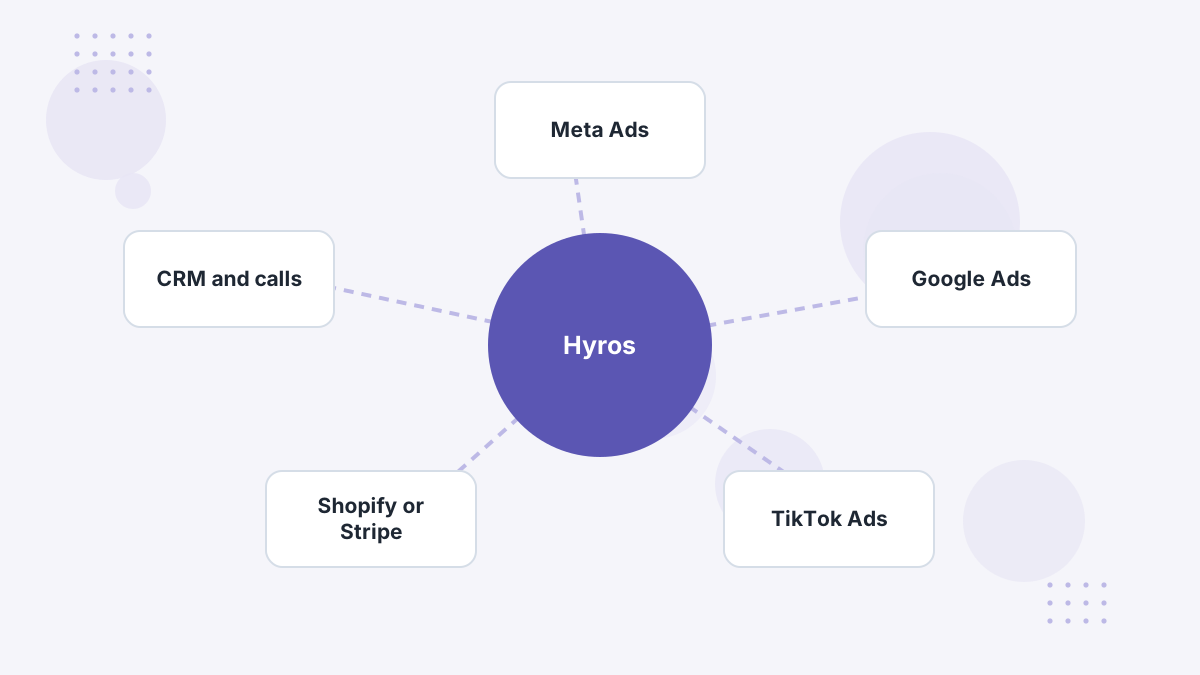
Hyros is ad tracking and attribution software. It connects every sale, booked call and sign-up back to the ad, email or organic touch that produced it, then reports revenue by source.
That matters because ad platforms only see what their own pixels capture. When a buyer clicks a Facebook ad on their phone, watches a webinar on their laptop and pays after a sales call, the platform often loses the thread. Hyros is designed to keep it.
Hyros positions itself for five kinds of businesses:
- Ecommerce and Shopify stores running ads on more than one network.
- Info-education businesses such as courses, coaching and webinar funnels.
- B2B and call-based companies where deals close on the phone.
- SaaS teams that need ad spend tied to subscriptions.
- Agencies managing tracking across many client accounts.
The common thread is a journey with several steps. If your buyers click once and check out in two minutes, the platforms' own reporting is usually close enough. The longer and more cross-device the path, the more Hyros earns its keep.
How Hyros Tracking Works
Hyros uses what it calls print tracking. As a visitor moves through your site, Hyros collects identifying data points into a "print". When that person later buys, books a call or subscribes, Hyros matches the conversion back to the original print and its ad source.
The key difference from a pixel is where the work happens. Pixels run in the browser, so ad blockers, iOS privacy settings and switching devices all break the chain. Hyros does its matching server-side, using first-party data such as the email address a lead enters.
In practice, that means a lead who opts in on mobile and pays on desktop a week later can still be credited to the right ad. That's the single biggest reason teams switch.
Hyros then sends those matched conversions back to the ad platforms through their server-side channels, including Meta's Conversions API, Google's offline conversion imports and TikTok's Events API. The platforms' algorithms get more complete purchase data to optimize toward. We cover the mechanism in depth in how Hyros works.
Hyros Features That Matter Most
Hyros has a long feature list, but a handful of capabilities drive most of its value. Here's what each one does and why it matters to you.
Multi-Touch Attribution With Custom Models
Hyros lets you view credit by first touch, last touch or a blended model, and adjust the weights between first click, assists and last click. This matters because different questions need different lenses.
A cold-traffic campaign might look weak on last click but strong on first click. Being able to switch views stops you killing the ads that start your best customers' journeys. Our guide to attribution models explains when to use each.
AI Ad Optimization
This is Hyros's name for feeding its tracked conversions back into Meta, Google and TikTok. The ad platforms then optimize toward a fuller set of real sales, not just the ones their pixel happened to catch.
For larger accounts, better input data tends to mean better targeting decisions by the platforms' own algorithms. You can read more in our page on Hyros AI ad optimization.
Call Tracking and Offline Closes
Hyros tracks call bookings, show rates, call quality and deals closed offline, all tied back to the original ad. It can also sit on top of existing call tools such as CallRail.
If you sell high-ticket offers over the phone, this is often the deciding feature. Most ecommerce-first tools simply aren't built around a calendar and a closer. See Hyros call tracking for the details.
LTV, Cohort and Creative Reporting
Hyros reports lifetime value by source, cohort performance over time and results by ad creative. The point is to judge ads on the revenue they bring over months, not just the first order.
A subscription brand might find that one ad's buyers churn quickly while another's stay for a year. Front-end ROAS alone would hide that difference.
Integrations, API and Claude MCP
Hyros connects to the major ad networks, Shopify and WooCommerce, funnel builders like ClickFunnels, GoHighLevel and Kajabi, payment processors like Stripe and PayPal, and many more through Zapier, Make and webhooks. It also offers an API and an MCP connection for Claude, so you can query your attribution data in plain language.
Before you book a demo, it's worth checking your exact stack against our Hyros integrations overview.
Hyros Pricing: What You'll Actually Pay
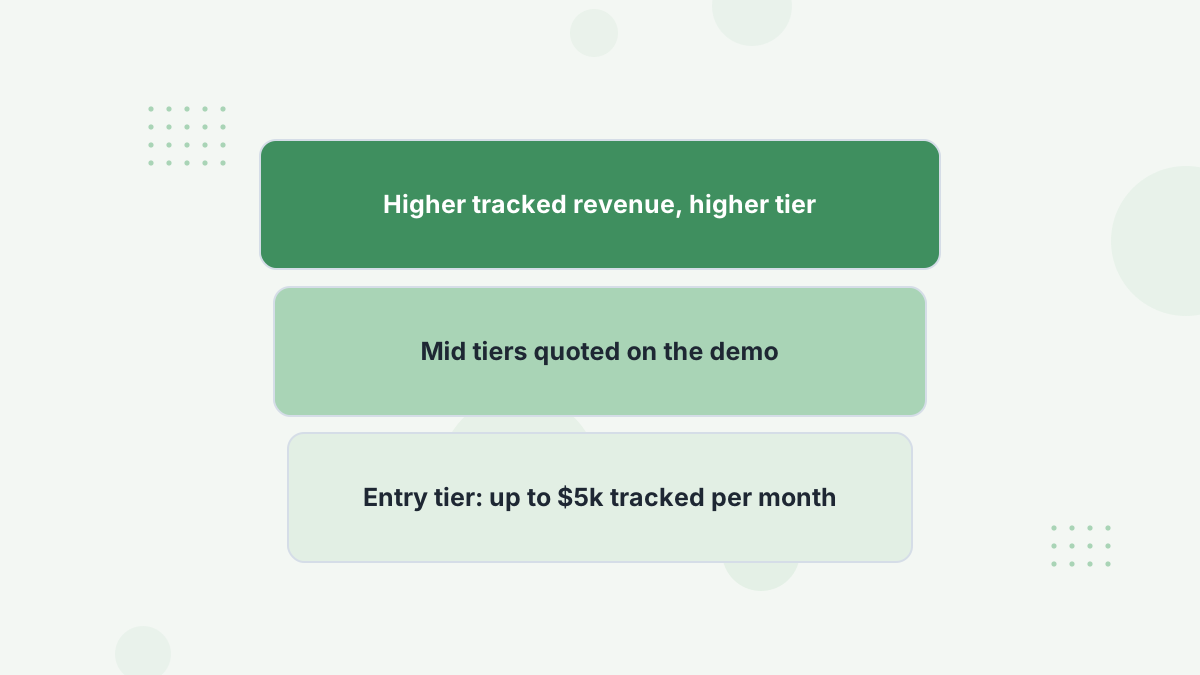
Hyros sells one plan with everything included. The price is set by how much revenue Hyros tracks for you each month, not by features or seats.
At the time of writing, Hyros's pricing page lists $69 per month for the tier covering up to $5,000 in tracked monthly revenue. Higher tiers are quoted through the demo. Independent reviews report mid-sized tiers running from a few hundred dollars to well over $1,000 a month on annual billing.
| Included | Why It Matters |
|---|---|
| Full tracking and attribution | No feature paywalls between tiers. |
| Setup team | Help installing scripts and integrations on complex funnels. |
| Account AI analyst and weekly training | Support reading reports, not just installing them. |
| All integrations | No extra charge for connecting more tools. |
| AI ad data and in-ad-manager stats | Conversions sent back to ad platforms for optimization. |
| LLM / Claude MCP interface | Query your data conversationally. |
What does this mean for you? Hyros's cost grows as your business grows. That's fair when tracking is helping you scale, but it makes long-range budgeting harder. Ask on the demo which tier your current revenue lands in and what the next tier costs.
Hyros also headlines a guarantee: "Your ads grow. Or you don't pay." The public page doesn't define how that's measured, so get the terms in writing before you sign. Our Hyros pricing breakdown walks through worked scenarios.
Setup and Onboarding
Getting started runs through a demo, then a guided setup. You install Hyros's tracking script across your pages, connect your ad accounts, link checkout or payment tools, and wire up calls or CRM events if you use them.
For a single Shopify store, this is fairly contained. For a funnel spread across several domains, a webinar platform, a scheduler and a CRM, there are more decisions to make. Plan for setup to take days rather than minutes on complex stacks.
The included setup team is the reason this is manageable. We'd still recommend assigning one person on your side to own the rollout and test each conversion event. Our Hyros setup guide lays out the order we'd follow.
Support: The Dedicated Analyst Model
Hyros includes one-to-one support with a setup team and an account analyst. This isn't a ticket queue you'll wait days on; it's help interpreting what your data means.
That matters more than it sounds. Attribution reports rarely match ad platform numbers, and the first few weeks are full of "why is this different?" questions. Having someone walk you through discrepancies saves a lot of second-guessing.
Public reviews of Hyros frequently mention named support staff by first name, which suggests customers do get consistent contacts. More on this in Hyros support explained.
Hyros Pros and Cons
Pros
- Cross-device, server-side matching keeps tracking when pixels drop the trail.
- Built for calls and long funnels, from booked call to closed deal.
- Sends sales back to ad platforms so their algorithms optimize on real revenue.
- One all-inclusive plan with setup help and an analyst.
- Broad integrations plus API, Zapier, Make and Claude MCP.
Cons
- Demo before you can buy, so no instant self-serve start.
- Price rises with tracked revenue, which complicates forecasting.
- Complex funnels need careful setup and testing.
- Reports need interpretation; they won't match Ads Manager.
- Overkill for small single-channel stores.
None of the cons are dealbreakers for the right buyer. They're the cost of tracking that's more thorough than a pixel. They do mean Hyros is a business tool, not a quick plug-in.
Who Should Choose Hyros (and Who Shouldn't)
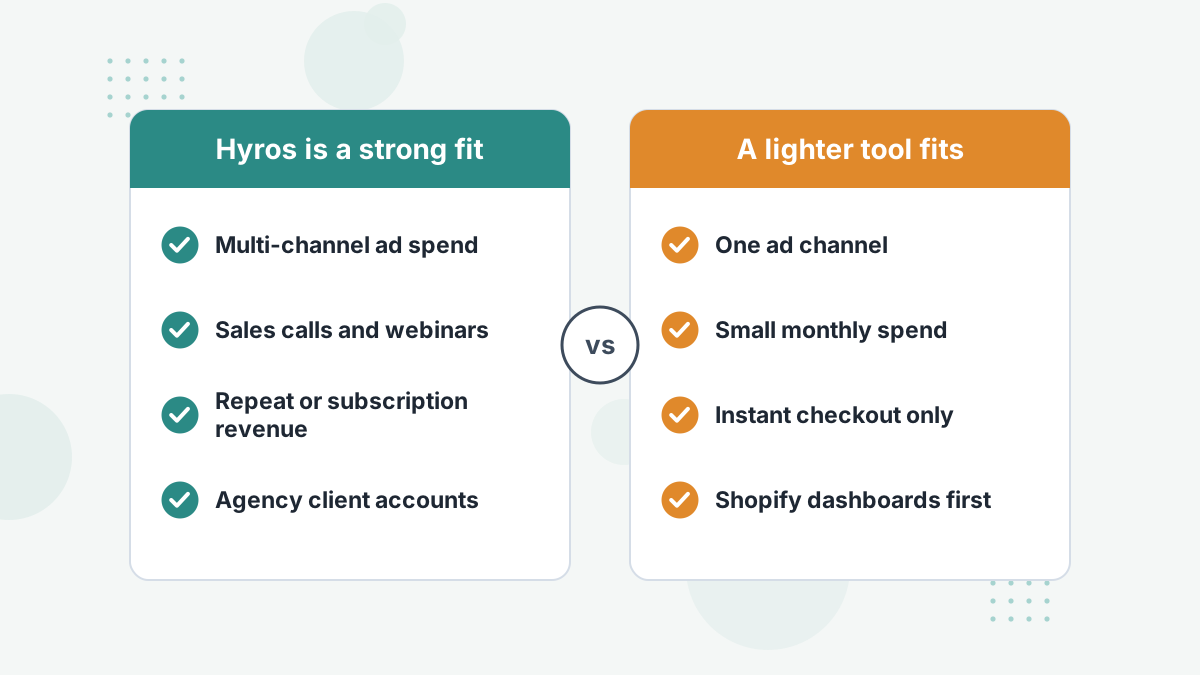
Coaches and Course Creators
Webinars, applications and booked calls are exactly the journeys pixels lose. Hyros is a natural default here. See Hyros for coaches.
Call-Based and B2B Sellers
Show rates and closes tied to the ad that started them are hard to get elsewhere. Start with call tracking.
Multi-Channel Shopify Brands
If you spend across Meta, Google and TikTok, Hyros gives one view of real revenue. Compare it in Hyros vs Triple Whale.
Agencies
Tracking you can show clients builds retention. See Hyros for agencies.
Who should skip it? If you're a small store spending modestly on one channel, start with the platform's own tools and GA4. If you want deep Shopify profit dashboards above all, a Shopify-native tool may feel more at home. Our small business attribution guide covers lighter options.
Everyone else with meaningful spend and a multi-step journey should at least see a demo. The cost of a wrong scaling decision usually dwarfs the subscription.
Hyros vs the Main Alternatives
Hyros competes with a handful of strong tools, each with a different centre of gravity. Here's how we'd frame the choice.
| Tool | Best For | Where Hyros Differs |
|---|---|---|
| Hyros | Multi-step funnels, calls, info products, multi-channel spend | — |
| Triple Whale | Shopify brands wanting store dashboards | Hyros handles calls and non-Shopify funnels better |
| Northbeam | Large DTC brands wanting media mix modeling | Hyros is more funnel- and call-focused |
| Cometly | Meta-heavy advertisers | Hyros covers more channels and offline closes |
| Wicked Reports | Subscription and long-cycle LTV analysis | Both strong on LTV; Hyros adds call attribution |
Want the full field? Our Hyros alternatives guide covers when each rival is the better pick, and when Hyros still wins.
How to Get the Most From a Hyros Demo
Since buying starts with a demo, treat it like a working session. The better your inputs, the more useful the call.
- Bring your numbers. Monthly ad spend by channel and monthly revenue, so the team can place you in a pricing tier.
- Map your funnel. List every step: ad, landing page, opt-in, webinar, call booking, checkout and upsells.
- List your tools. Ad platforms, cart, payment processor, CRM, scheduler and email platform.
- Ask about the guarantee. Get the measurement terms and timeframe in writing.
- Ask about setup time for your specific stack and who on your team needs to be involved.
Our Hyros demo guide covers what usually happens on the call and the follow-up questions worth asking.
Hyros Review FAQs
Is Hyros legit?
Yes. Hyros is an established ad tracking platform used across ecommerce, info-education, B2B and agency businesses. It lists SOC 2 and GDPR compliance on its site.
Does Hyros have a free trial?
Hyros doesn't advertise a self-serve free trial. You start with a demo, and its pricing page headlines a "your ads grow or you don't pay" guarantee. Confirm the exact terms on your call.
How much does Hyros cost per month?
Pricing scales with tracked monthly revenue. Hyros currently lists $69 per month for up to $5,000 in tracked monthly revenue, with larger tiers quoted on the demo.
Why are Hyros numbers different from Facebook Ads Manager?
They measure differently. Meta counts conversions its pixel and models attribute, while Hyros matches real sales to sources server-side. Differences are expected; see our guide to Hyros data discrepancies.
Is Hyros good for small businesses?
It can be, but the value grows with spend and funnel complexity. Small single-channel stores often get enough from platform tools at first.
Is Hyros Right for Your Business?
If you're spending across several channels or closing sales on calls, a demo will show you exactly what your ad platforms are missing.
Book a Hyros Demo