If you sell courses, coaching or high-ticket programs, your ad reporting is probably the least trustworthy number in your business. A typical buyer might click an ad, register for a webinar, watch a replay on another device, buy a low-ticket course and book a call weeks later.
Ads Manager sees fragments of that. Hyros is designed to see all of it. Here's what it tracks for info-education businesses and how to get it set up properly.
Why Coaching Funnels Break Ad Reporting
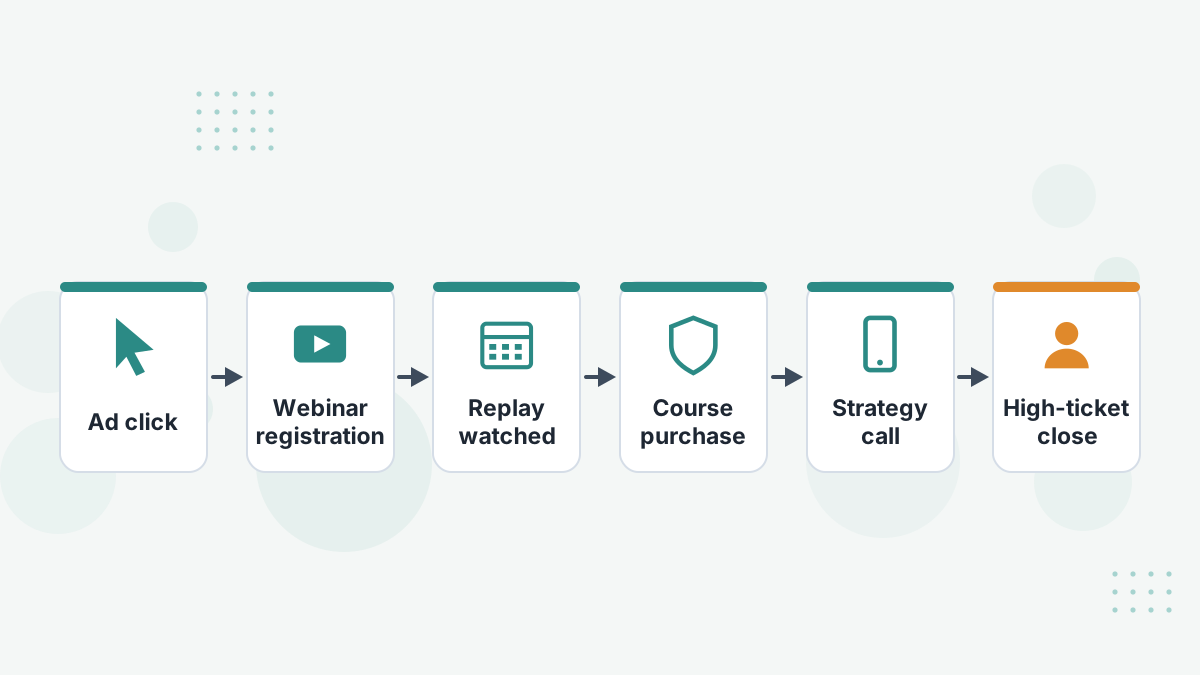
Info-education funnels have every attribution problem at once:
- Several steps between the ad and the money: opt-in, webinar, email sequence, sales page, call.
- Several devices, because people register on mobile and watch on desktop.
- Long gaps. High-ticket decisions often take weeks, beyond Meta's default 7-day click window.
- Offline closes on Zoom or the phone, which no pixel can see.
- Multiple offers, where the real value is the high-ticket sale after a low-ticket front end.
The consequence is predictable: ads get judged on cheap registrations or front-end sales, while the ads that create your highest-value students go unnoticed.
What Hyros Tracks for Coaches and Course Creators
Hyros's info-education materials describe tracking that maps neatly onto these funnels:
| Funnel Stage | What Hyros Tracks | Why It Matters |
|---|---|---|
| Webinar | Registration, viewing and later actions, tied to the ad | Judge ads on viewers who buy, not registrations |
| Front-end offer | Course sales and upsells | See true front-end ROAS by ad |
| Calls | Booked calls and call-based campaigns | Know which ads fill your calendar with buyers |
| Back end | High-ticket closes credited to the original ad | Credit the ad that started the relationship |
| Lifetime value | Student LTV and 30, 60 and 90-day cohorts | Scale ads that create long-term students |
Hyros also lists a split between course and high-ticket sales, with LTV by first offer purchased. That tells you whether a cheap front-end product is actually feeding your back end.
Attribution Models That Fit Coaching Funnels
Hyros offers last-click, first-click and LTV-weighted views for info businesses. Each answers a different question:
- First click shows which ads start the journeys that end in sales. Essential for judging cold traffic.
- Last click shows what tips people over the line, often retargeting or email.
- LTV-weighted favors ads that bring students who keep buying.
Our recommendation for most coaches: judge prospecting ads on first click with a long window, and retargeting on last click. Our attribution models guide explains the trade-offs.
Tracking Calls and High-Ticket Closes
For many coaches, the call is where the money is made. Hyros tracks booked calls and links closes back to the lead's original ad, even weeks later.
It connects to schedulers such as Calendly and iClosed and CRMs such as HubSpot and HighLevel. It can also send qualified calls and closes back to Meta, Google and TikTok so the platforms optimize toward people who buy, not just people who book.
That shift, from optimizing on bookings to optimizing on qualified calls, is often the single biggest improvement a call-funnel business can make. See Hyros call tracking.
Integrations for Course and Coaching Platforms
Hyros names Kajabi, Whop, Skool and HubSpot on its info-education page, and its integration list adds Teachable, ClickFunnels, SamCart, ThriveCart, Kartra, Calendly, iClosed, HighLevel and the major payment processors.
The common setup for coaches looks like this:
- Funnel pages on ClickFunnels or HighLevel, with the Hyros script on every page.
- Course checkout through Kajabi, SamCart or Stripe.
- Calls through Calendly or iClosed, closes recorded in the CRM.
- Email through your email platform, with tracked links. See Hyros email tracking.
Setting Up Hyros for a Coaching Business
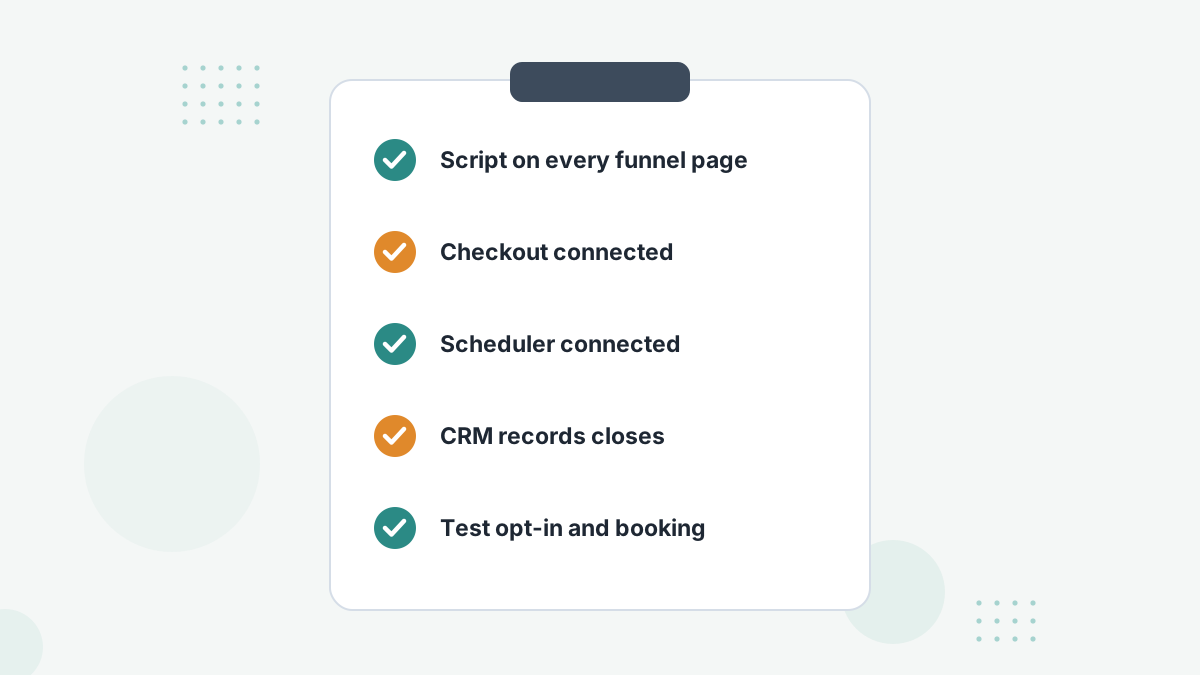
Hyros says most businesses are set up in about 15 minutes with one-click integrations, and offers a dedicated setup team. Coaching funnels tend to be more involved, because they span several tools. We'd work in this order:
- Script on every page: ads landing pages, registration, thank-you, replay, sales and booking pages.
- Connect checkout and processor so front-end and back-end sales report in.
- Connect the scheduler and test a booking.
- Connect the CRM so closes and payment-plan revenue are recorded.
- Tag email links so nurture clicks join the journey.
- Run a full test: opt in, register, book and buy as a test lead.
Hyros lists payment-plan and launch-day trackers as upcoming builds, so check on your demo how installment revenue is handled today.
Is Hyros Worth It for Your Coaching Business?
Hyros is a strong fit if you're spending real money on ads to a webinar, application or call funnel, especially across more than one platform. Those are the journeys where platform reporting fails worst and where better attribution changes decisions most.
If you're just starting out, spending little, and selling a low-ticket course through email, a lighter tool like SegMetrics may be enough for now. Compare in Hyros vs SegMetrics or our best attribution software for course creators.
Hyros's entry tier starts low and scales with tracked revenue, so you can grow into it. See Hyros pricing.
Hyros for Coaches FAQs
Does Hyros work with Kajabi?
Yes. Kajabi is a named integration, and Hyros's documentation covers tracking Kajabi pages and payments.
Can Hyros track webinar attendance?
Hyros tracks webinar journeys from registration through viewing to purchase, and lists a webinar show-up rate plug-in.
Does Hyros track payment plans?
Payments recorded through your processor or CRM can be tracked. Hyros lists a dedicated payment plan tracker as an upcoming build.
Is Hyros good for low-ticket courses?
It works, but the value is greatest when there's a high-ticket back end or meaningful ad spend.
See Which Ads Create Your Best Students
Book a Hyros demo and see your webinar, call and checkout data tied back to the ads that started each journey.
Book a Hyros Demo